
Guide – Create Your Service on VanLife Connect
Your skills can help fund your travels.
If you are new to VanLife Connect, follow the steps below in order.
Setting up your service only takes a few minutes. Follow these 3 simple steps and you’ll be ready to earn on the road.
Step 1 – Add a service
Go To: Profile → Service Management → Service Profile → Tap “+”
- Choose the category and then service that best fits what you offer.
- Complete the “Service Experience & Details” section. Describe your experience providing this service, what is included, tools or equipment you use, any requirements, timeframes or limitations.
- Select pricing – either “Request a Quote” or “Fixed Price”. Fixed Price: The traveller pays the listed amount. Request a Quote: You agree on price before booking.
- Upload photo(s) of your actual work where possible
- Upload your qualifications, licenses and insurances as applicable
- Click “Add Service”
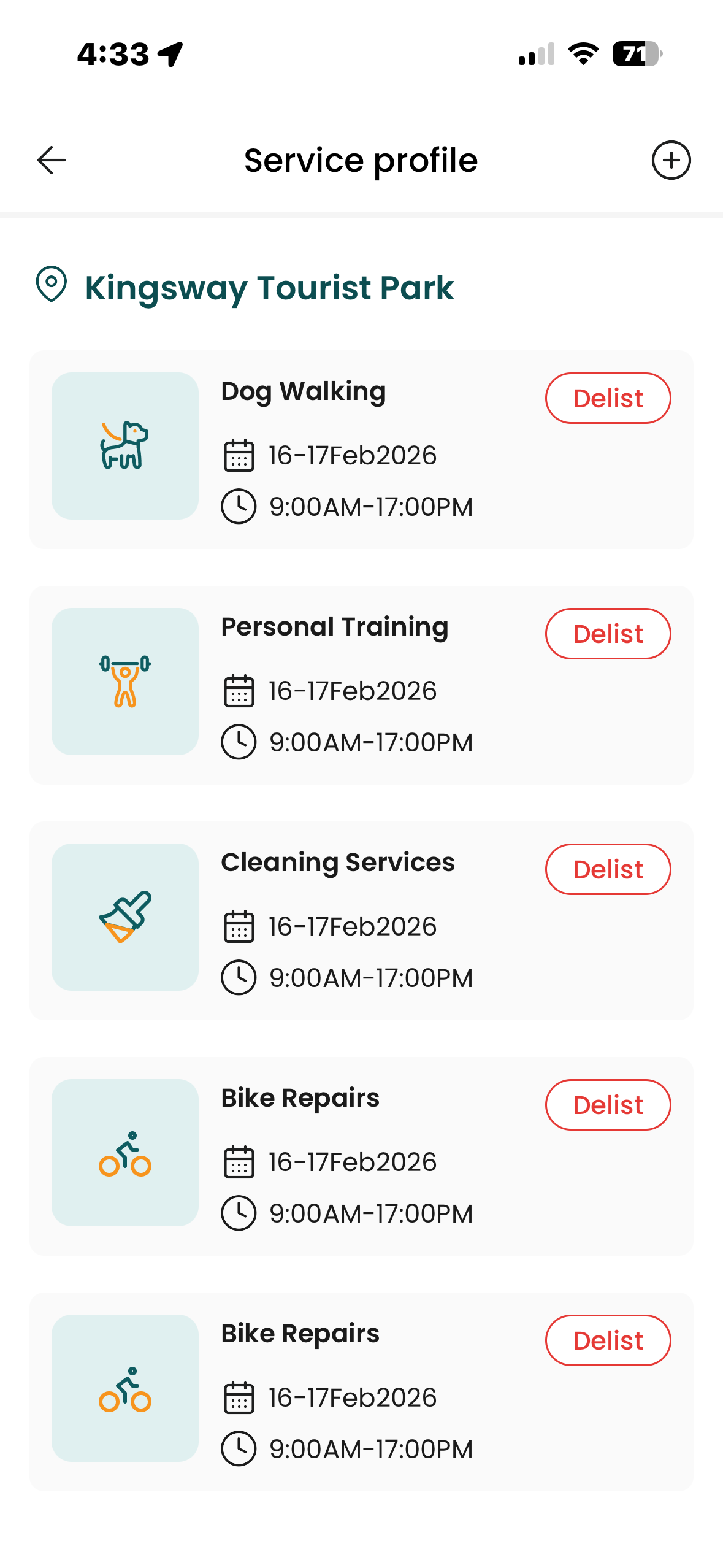
Step 2 – Set Up Payouts
To receive payouts for completed bookings, you must complete secure payment onboarding through Stripe.
Stripe is our trusted third-party payment provider. Stripe securely verifies your identity and deposits your earnings directly into your nominated bank account. VanLife Connect does not store your bank details.
Go To: Profile → Service Management → Payout Set Up → Add Payment Card
- Verify Your Contact Details – Confirm your email address and verify your mobile phone number via SMS code. This ensures your account is secure.
- Select Your Business Type from available options. Depending on your structure, Stripe may request ABN (if applicable) Business name (if registered).
- Enter Your Personal Details – Your full legal name (must match your bank account), Date of birth, Residential address. Stripe is legally required to collect this information under Australian financial regulations.
- Add website URL or product description.
- Add Bank Account Details – Account name, BSB, Account number. Stripe will use this account to deposit your earnings.
- Identity Verification – Stripe may require you to upload a photo of your driver’s licence or passport. This is required under Australian financial regulations.
- Agree and Submit
Step 3 – Check In and Activate Your Service
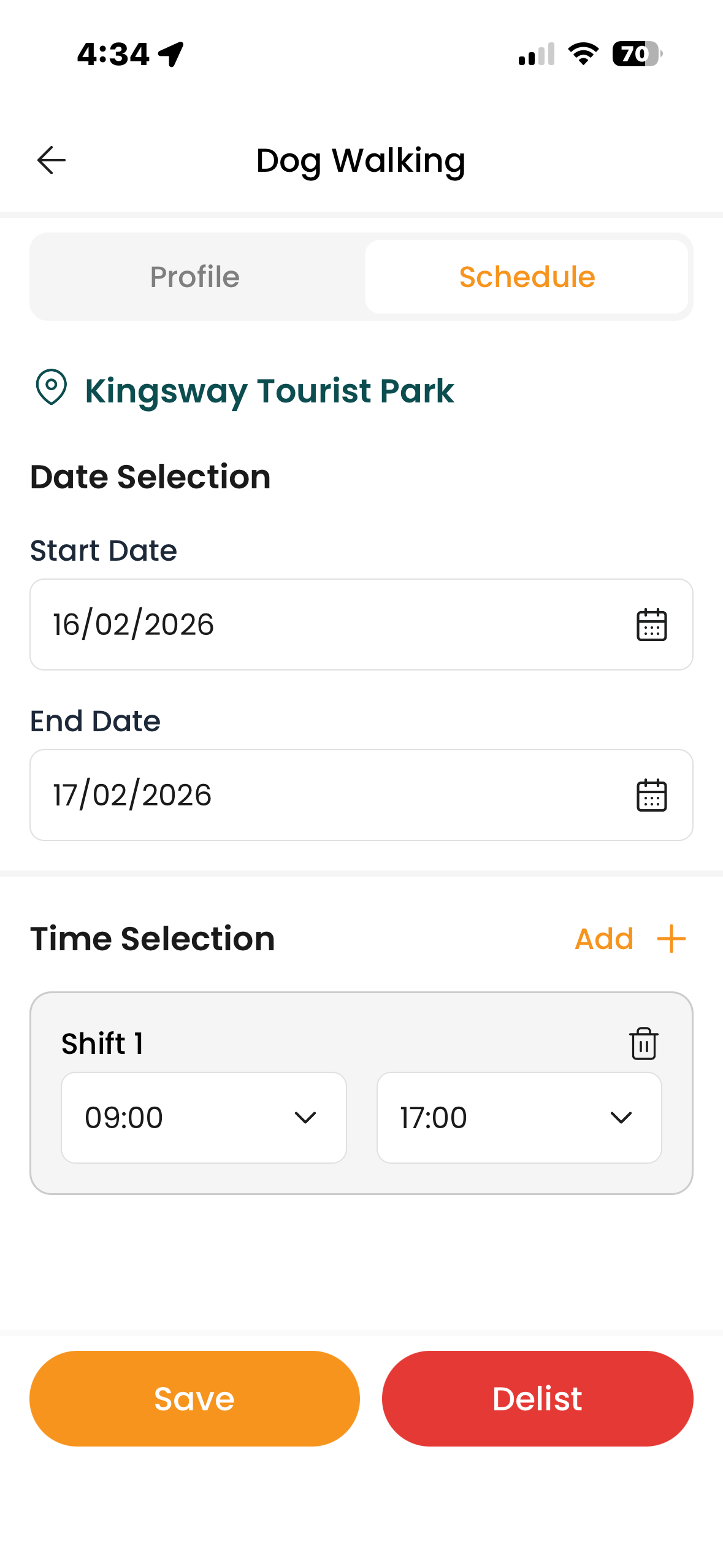
Your service becomes visible when you are checked in at a location.
When you arrive at a campground, use Smart Arrival to check in automatically or manually check in.
Select the services you want to go live and if you have a specific schedule set this through
Profile → Service Management → Service Profile → Select Service → Schedule
How Payouts Work
VanLife Connect keeps pricing simple.
- Travellers pay your listed price.
- Vanlife Connect charges 10% commission on completed bookings.
- Stripe processing fees are deducted at payout
- Funds are deposited into your nominated bank account
See Example
What Makes a Strong Listing
- A clear and specific title
- A simple explanation of what’s included
- Fair and transparent pricing
- Quality photos
- Relevant licences uploaded
- An up-to-date availability calendar
The clearer you are, the smoother your bookings will be.
Tips From Fellow Travellers
- Keep your availability up to date
- Respond promptly to messages
- Clearly outline what is included
- Complete bookings inside the app
Bookings completed outside the app are not covered by dispute support.